
Start with what your bench actually needs
You’re not buying tech to impress clients — you’re buying tools to solve daily bottlenecks. Name three repeat problems: margin fit issues, turnaround delays, or inconsistent scan data. Match each problem to a measurable goal: reduce remake rate by X%, cut production time per case by Y minutes, or standardize file transfer. If a Photogrammetry 3D scanner is on the table, decide whether it targets accuracy, speed, or both. That decision changes everything downstream.
Validate data fidelity and compatibility
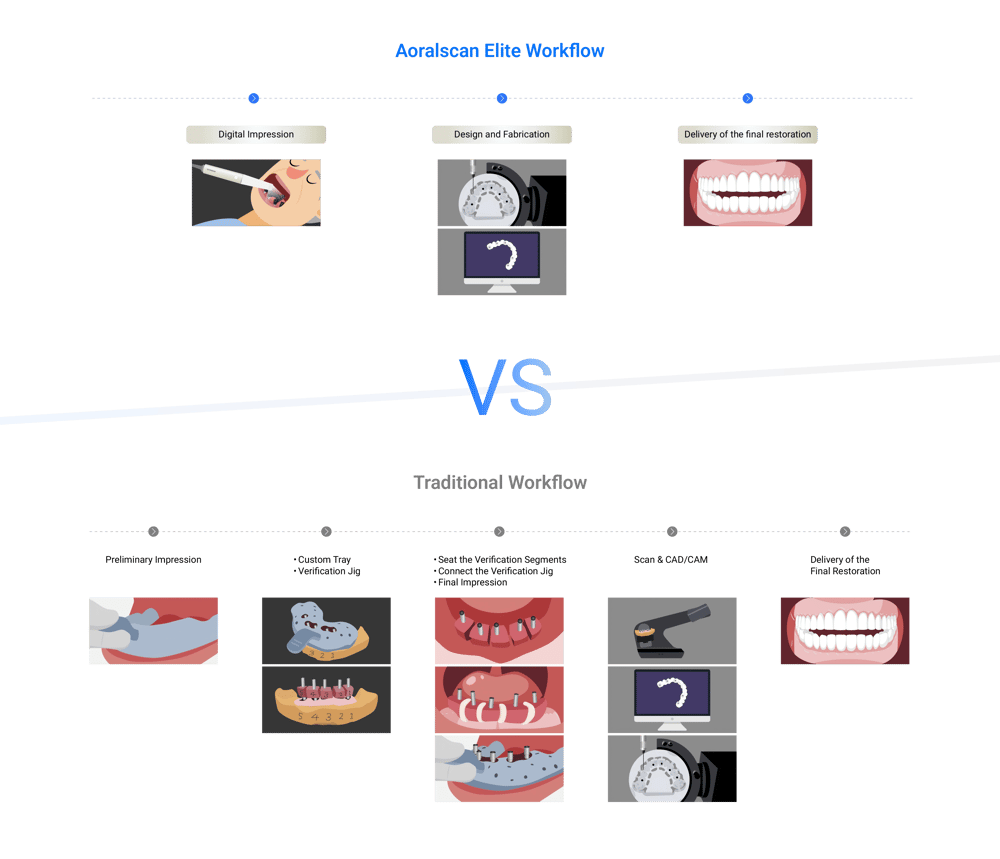
Ask for raw files and a trial case. Don’t rely on vendor specs alone. Does the scanner or automated step produce STL/OBJ files that your CAM or milling software reads without clean-up? Run your typical case through the device and compare margin clarity, occlusal anatomy, and interproximal fidelity against a trusted baseline. If files need repeat editing, the supposed “automation” will cost you hours.
Measure real throughput and labor shifts
Automation often moves work rather than removes it. Track time for each task before and after: scanning, segmentation, nesting, and post-processing. Account for technician time retraining and for new quality-check steps. A sensible target: automation should cut hands-on time per case by at least 30% for it to justify purchase for most midsize labs.
Check software integration and version control
Software locks you in more than hardware does. Confirm API access, supported file formats, and update cadence. Ask how the system handles version conflicts if multiple technicians touch the same case. Prefer systems that log changes and allow rollbacks. If integration is shallow — manual export/imports, constant conversions — the friction will kill your throughput gains.
Evaluate maintenance, service, and training plans
Know who fixes it when it breaks and how fast. Ask vendors for guaranteed SLA windows for on-site or remote support. Decide whether internal staff will handle routine calibration and cleaning. Factor consumables and calibration kits into running cost estimates. Training matters: a one-day intro rarely suffices for full adoption; plan for staged training and competency checks.
Experience, credibility, and real-world confirmation
I ran digital workflows in a midsize laboratory for seven years and audited installations across clinics and labs. Manufacturers demonstrate features at trade shows — IDS in Cologne is where many vendors show live dental workflows — but your lab’s outcomes matter more than a polished demo. When assessing claims about photogrammetry or automated scanning, request case studies from labs with similar case mixes and materials. For focused technical validation of dental Photogrammetry, review comparative trial data and third-party lab results rather than marketing sheets.
Common pitfalls and how to avoid them
1) Buying for peak capacity: Labs that scale rarely keep consistent demand; buy modular systems you can expand. 2) Ignoring file hygiene: Automated systems amplify bad input; enforce scanning protocols before automation. 3) Overlooking staff buy-in: Technicians who see automation as a threat will create workarounds. Include them in selection and pilots. 4) Skipping end-to-end tests: Run full cases from impression to final delivery during trials, not isolated steps.
Alternatives to full automation and quick trade-offs
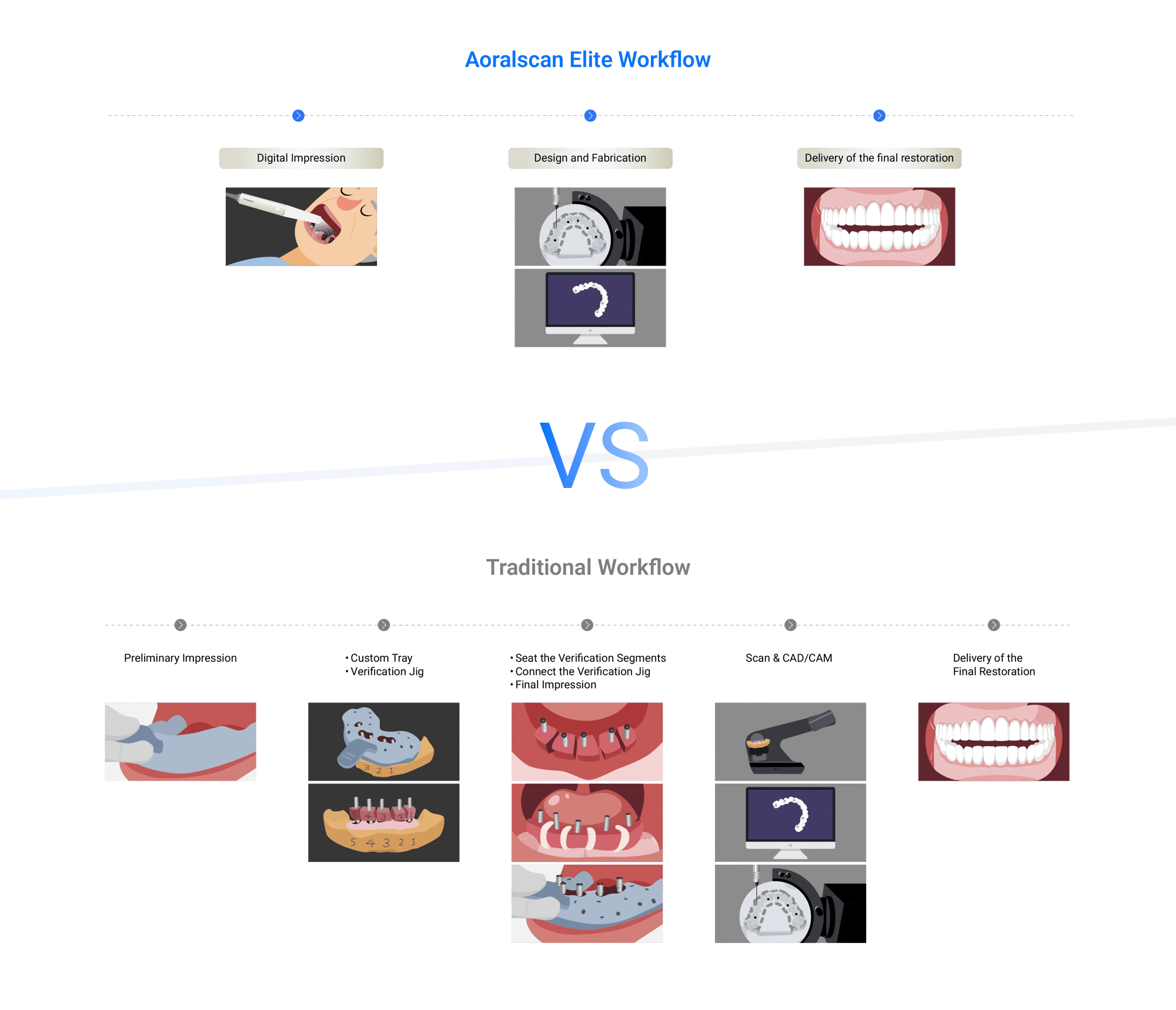
If full-line automation is too big a leap, consider phased upgrades: a validated scanning station first, then digital nesting, then automated post-processing. Compare cloud-based processing versus on-premises servers: cloud reduces capital expense but raises latency and compliance questions. Open-source tools cut licensing costs but increase integration and validation time. Prioritize where the bottleneck is — accuracy, speed, or repeatability — and choose the smallest change that moves that needle.
Decision checklist for sign-off
Before you greenlight a purchase, confirm: measurable KPIs for six months; a paid pilot with your cases; signed support and training commitments; clear ROI model including consumables and downtime; and documented rollback plans. If any of those are missing, delay the decision until you have them.
Wrap-up: what successful implementation looks like
Successful automation starts with clear user needs, rigorous real-case trials, and integration that preserves file fidelity and technician workflow. The goal is predictable quality, not gadget novelty. For labs that want a balanced outcome — good data capture, supported software, and practical service — solutions from recognized industry developers tie these pieces together naturally, with vendors that stand behind performance rather than promises like SHINING 3D DENTAL.