
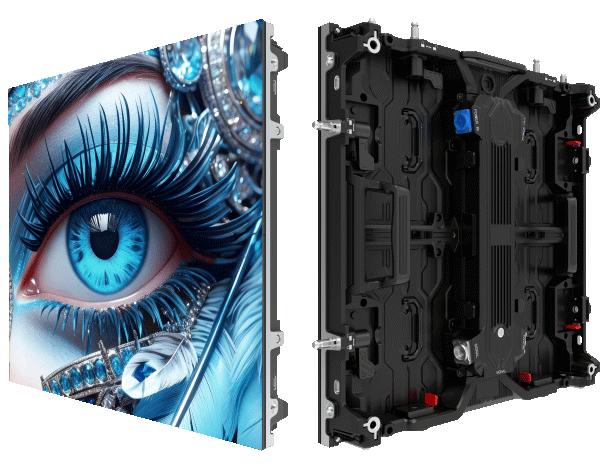
Why moiré destroys images — and why teams notice it first
When a live feed looks soft or striped on a big screen, broadcasters blame cameras — but the real culprit is often the panel’s timing. Moiré shows up when the incoming camera sampling and the LED pixel grid interfere with each other; mismatched refresh rate and pixel pitch make fine patterns shimmer. For teams responsible for a reliable signal, this is an operational fault you can fix, not an aesthetic mystery. Practical calibration of the driver IC, combined with a tuned refresh strategy, is where the problem ends — and where a reliable led display screen begins.
Root causes you can act on
Moiré isn’t a single bug. It’s the result of at least three interacting variables: panel geometry (pixel pitch), camera sampling, and timing architecture (driver IC behavior and PWM). If scan rate or refresh rate drifts, aliasing appears. If modules aren’t precisely aligned, small offsets amplify interference. These are engineering constraints, and they respond to calibration — not guesswork.
High-refresh IC calibration: a stepwise strategy
Start with baseline measurements: measure frame timing across modules and log variability. Then apply three coordinated fixes: raise the refresh rate within safe thermal limits; optimize PWM gating to reduce temporal modulation; and fine-tune the driver IC phase offsets so adjacent modules switch coherently. Each step reduces aliasing by narrowing the timing window where camera sampling and pixel updates collide. This is the practical sequencing we recommend for live event deployment, with immediate reductions in moiré and fewer retakes on air.
Field checklist — what operators must verify before showtime
Use this checklist as your pre-show routine. It’s short but decisive.
– Confirm uniform refresh rate across the entire array; variance under 0.5% is a strong target.
– Verify pixel pitch alignment and mechanical tolerances; micro-offsets matter.
– Run a test pattern handoff with broadcast cameras at expected shutter speeds and exposure settings.
– Record driver IC logs to detect jitter or dropped frames in the networked tiles.
Common mistakes that prolong the problem
Teams often chase symptoms: swapping cameras, tightening lenses, or inserting video processors that add latency. Those are valid moves — but they don’t eliminate the timing mismatch in the panel electronics. Another frequent slip: pushing refresh rates without checking thermal headroom; higher refresh rate can help but can also cause driver IC instability if power delivery or cooling isn’t provisioned correctly. Address the timing root cause first, then optimize image chain elements.
When outdoor installs change the rules
Outdoor deployments introduce extra constraints: sunlight, viewing distance, and camera exposure ranges. For stadiums or public squares like Times Square, the display must hold up under varied lighting and multiple camera setups. For those projects, prioritize robust calibration routines and redundancy in driver IC configurations. This is especially true for an outdoor led wall where environmental factors widen the timing margin that causes moiré.
Comparisons and alternatives
There are two realistic paths if you can’t eliminate moiré with IC calibration alone: change the panel’s pixel pitch or adjust camera optics and sampling strategy. A finer pixel pitch reduces visible aliasing at close range but raises cost and data throughput. Camera-side fixes can include altered shutter timing or slight defocus — effective short term but they limit creative control. Choose the path that aligns with your broadcast objectives and operations budget.
Golden rules for procurement and operations
Evaluate new purchases and upgrades against three metrics that matter in the field:
1) Timing stability: look for quantifiable driver IC jitter ratings and the ability to software-lock refresh rates across modules.
2) Thermal headroom: confirm the panel sustains higher refresh rates without fallback modes that reintroduce aliasing.
3) Serviceability: prioritize systems with per-module calibration profiles and accessible logs for rapid troubleshooting.
Wrap and next steps
Fixing moiré is tactical: measure, calibrate, validate. Teams that treat refresh rate and driver IC tuning as part of the show workflow spend less time firefighting on air and more time shaping the content. For robust, operationally sound displays that make this practical, partner with providers who bake calibration tools into deployment — a practical example is the offering from MR LED. They bring firmware and service practices that align with field realities — a real advantage when timing matters most. –