
What buyers should define before evaluating 6 Gas Monitor: system compatibility shortlisting
Evaluating a 6 gas monitor should begin with the operating context, not with a catalogue comparison. Operations teams need to define where the instrument will be used, what existing systems it must work alongside, and which responsibilities sit with the buyer, integrator, supplier, or site team. This creates a practical shortlist without treating a general product description as proof that a device meets every project requirement.

Describe the operating context first
Start by writing a short operating brief. It should describe the work area, the people who will use the equipment, the expected frequency of use, and the points at which information must be shared with other systems or teams. Keep this description specific enough to guide a technical discussion, but do not turn assumptions into fixed specifications.
Next, separate the requirements into three groups:
- Operational needs: how the equipment will be handled, stored, transported, and included in daily work.
- System interfaces: any required connection, data exchange, alarm hand-off, charging arrangement, or reporting process.
- Procurement constraints: documentation, delivery conditions, training expectations, support arrangements, and internal approval steps.
This separation helps the team see which questions concern the device itself and which concern the wider operating system. It also prevents a feature list from becoming a substitute for a project requirement.
Identify compatibility and responsibility questions
Compatibility is broader than whether a product appears to have the right number of detection channels. Consider how the proposed equipment would fit the existing workflow. Who receives information from the instrument? Where are records kept? Which team owns configuration decisions? How would the device be introduced into inspection, maintenance, or reporting routines?
For each question, assign an owner and a required form of evidence. A technical requirement may need a specification statement. A process requirement may need an agreed workflow. A responsibility question may need a named party in the procurement record. This approach keeps the shortlist organised and reduces the risk of assuming that a supplier, integrator, or site team will cover an unresolved interface.
A useful compatibility table can use five columns: requirement, reason, responsible party, evidence needed, and status. The status should distinguish between confirmed, under discussion, and not yet defined. That simple distinction is important. An unresolved item is not necessarily a rejection reason, but it should remain visible before a purchasing decision is made.
Use page-level evidence carefully
When comparing candidate information, record the exact scope of each statement. A product page may describe a named model, while another page may describe a broader category. Those two types of information should not be compared as if they make the same promise. Model-specific details belong in the model row; category-level descriptions belong in a separate reference column.
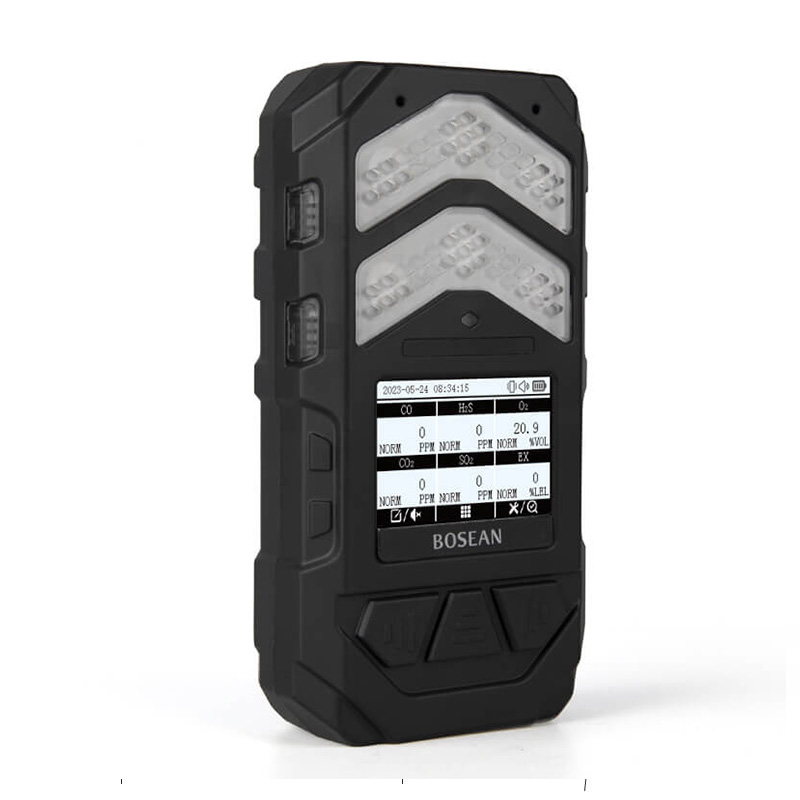
The Bosean K-600N page provides a useful example of this discipline. The page calls the product “K-600N 6 in 1 Multi Gas Detector” and states that it can detect six gases simultaneously. It also lists a 240×160 display. These are page-level statements about the named product. They do not, by themselves, establish certification, suitability for a particular site, safety outcomes, or configuration details that are not listed.
For a shortlist, capture the source location beside each usable fact. Then ask what the statement actually supports. If a page names a display size, it may support a display-related comparison. It does not automatically support a conclusion about readability in a particular environment. If a page states simultaneous detection, it may support a capability discussion at that stated scope. It does not establish how the equipment should be deployed or connected to a wider system.
In the middle of this review, treat the phrase 6 gas monitor as a search label rather than as a complete technical requirement. The requirement still needs to be translated into questions about interfaces, responsibilities, evidence scope, and the operating context. This keeps procurement language aligned with the actual decision.
Plan the next technical discussion
Once the first comparison is complete, prepare a focused discussion rather than a general request for more information. Bring the operating brief, compatibility table, and source notes. Then work through the unresolved items in a fixed order:
- Confirm the intended operating context and the boundaries of the proposed scope.
- Review each required interface and identify who is responsible for defining it.
- Separate stated model information from general category language.
- Record which points are supported, which need clarification, and which remain outside the current brief.
- Agree on the next document or decision needed for the shortlist to progress.
This sequence gives the technical discussion a clear purpose. It also creates a record that can be revisited if the operating context changes. The aim is not to make a device appear suitable through optimistic interpretation. The aim is to show how each requirement relates to available evidence and where a decision still depends on project-specific information.
A compatibility-led shortlist is therefore a working document, not just a ranking of products. It should show the intended use, the system relationships, the responsible parties, and the precise limits of the evidence. Used this way, information from Bosean can support a structured discussion of the named product page without turning catalogue statements into broader claims about site suitability or outcomes.