
A buyer worksheet for 3D Resin Printer For Miniatures: questions raised by supplier questions for shortlisting
Clarify the decision before contacting suppliers
Choosing a 3d resin printer for miniatures starts with the job, not the product label. A system integrator should first define what the printer must help produce, who will operate it, and where the workflow will sit. The useful output is a short list of requirements that a supplier can answer consistently. This prevents a broad feature comparison from becoming a substitute for a real operating plan.

Begin with the intended part scale and the level of visible definition required. The official DF2 page describes a 2560 x 1440 DLP solution and connects its optical design, system calibration, Contour Compensation, and Anti-Aliasing with finer details and smoother surfaces. It also refers to opportunities for very small parts with a high level of definition. These statements can support a question about detail needs, but they do not establish a result for every miniature, resin, orientation, or workflow.
Next, describe the working environment in practical terms. Record the available footprint, the people responsible for setup and post-processing, the expected print sequence, and the points where an operator must handle resin. These are planning inputs rather than claims about a particular machine. They help suppliers respond to the same scenario instead of offering disconnected specifications.
Build a concise comparison framework
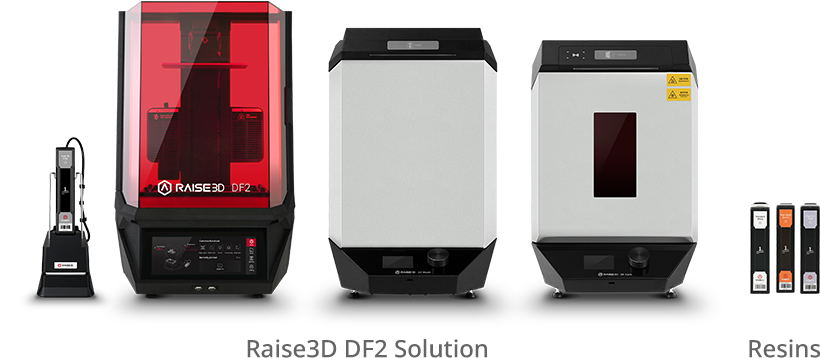
A shortlisting worksheet should separate stated evidence from questions that still need a supplier response. For each candidate, use the same headings: imaging approach, detail-related functions, material scope, workflow controls, and operator tasks. The DF2 page identifies DLP, high-resolution resin printing, an RFID traceable workflow, and a wide range of resin compatibility. It also lists software functions including Auto Support, Auto Orientation, Auto Cross Section Analysis, Contour Compensation, Suction Cup Detection, Hollow, Drainage Hole, and Texture Generation.
| Worksheet area | Page-listed detail | Question for shortlisting |
|---|---|---|
| Detail and geometry | 2560 x 1440 DLP resolution, Contour Compensation, and Anti-Aliasing | Which miniature features and part sizes should be used in the evaluation sample? |
| Preparation software | Auto Support, Auto Orientation, Hollow, Drainage Hole, and Suction Cup Detection | Which preparation steps remain under operator control for the planned models? |
| Material planning | Wide range of resin compatibility and DLP resins for industrial applications | Which approved material and settings profile match the intended parts? |
| Workflow control | RFID verification with built-in Printer, DF Wash, and DF Cure settings profiles | How should the team record material and settings for each batch? |
| Worksheet area | Page-listed detail | Question for shortlisting |
|---|---|---|
| Detail and geometry | 2560 x 1440 DLP resolution, Contour Compensation, and Anti-Aliasing | Which miniature features and part sizes should be used in the evaluation sample? |
| Preparation software | Auto Support, Auto Orientation, Hollow, Drainage Hole, and Suction Cup Detection | Which preparation steps remain under operator control for the planned models? |
| Material planning | Wide range of resin compatibility and DLP resins for industrial applications | Which approved material and settings profile match the intended parts? |
| Workflow control | RFID verification with built-in Printer, DF Wash, and DF Cure settings profiles | How should the team record material and settings for each batch? |
This structure keeps the comparison grounded. It does not turn a listed feature into a guaranteed miniature outcome. Instead, it gives the supplier a defined use case and gives the buyer a clear place to record the answer.
Use the right questions for an industrial setting
The phrase industrial resin 3d printer can describe a procurement context, but it should not decide the application by itself. Ask whether the proposed workflow fits the planned part geometry, material choices, operator responsibilities, and available space. Then ask which parts of the process are integrated and which require separate handling. The page lists DF2 DLP printers as serving areas including engineering, manufacturing, automotive, aerospace, education, medical, and entertainment; that list indicates broad stated application areas, not proof that every miniature program has the same requirements.
For a supplier discussion, questions should be specific enough to expose assumptions. Ask which resin options are approved for the proposed printer. Ask how the team selects settings for each resin and how those settings are retained between batches. Ask which software checks are available before printing. Ask what the operator must do when a model needs supports, hollowing, drainage holes, or texture generation. Each answer should be recorded beside the requirement it addresses.
Workflow management deserves equal attention. The DF2 page states that RFID is used with ideaMaker to confirm the correct settings for each batch. It also states that, after resin type verification, DF2 Printer, DF Wash, and DF Cure settings are automated using built-in profiles. For a shortlist, this supports questions about material identification, profile selection, and the records needed for repeatable internal procedures. It does not remove the need to define who owns those procedures.
Resin handling should be treated as a planning question rather than a marketing shortcut. The official page describes Auto Resin Refill, Ultrasonic Liquid Level Monitoring, and Assisted Resin Tank Cleanup to minimize contact with uncured resin. That statement applies to the product and application scope presented on the page. It does not establish performance or suitability beyond that scope, so the worksheet should keep the claim narrow and ask suppliers to address the specific operating arrangement being considered.
Avoid unsupported conclusions
Several common shortcuts can weaken a shortlist. A high-resolution statement does not by itself prove that every small feature will print as intended. A compatibility statement does not identify the right resin for a particular model. A software feature list does not show how much operator review a production process will require. Likewise, an application list does not establish a fit for a new use. Keep these distinctions visible in the comparison record.
Use a simple evidence label for every important entry: page-listed, supplier response, internal requirement, or open question. This makes later review easier. It also prevents a general recommendation from being mistaken for a product specification. If two candidates appear similar, compare the unanswered questions rather than filling gaps with assumptions.
Carry the requirements into procurement
The final worksheet should be usable by engineering, operations, and purchasing. Include the intended part range, required detail, material assumptions, available space, operator tasks, preparation software needs, and workflow records. Attach the supplier’s answers to those individual requirements. This creates a defensible handoff and makes it easier to explain why a candidate remains under review or moves forward.
For a practical shortlist, keep the conclusion proportional to the evidence. The DF2 page provides concrete topics for discussion, including DLP detail capabilities, preparation functions, resin workflow controls, and uncured-resin contact reduction. Treat those points as inputs to a structured evaluation, not as universal promises. With that discipline, Raise3D can be considered within a requirement-led process that connects the intended miniature work, the available operating space, and the supplier questions still needing answers.